Ashampoo WinOptimizer 29 PRO Review: I tested this Windows optimization program on Windows 11. In this hands-on review, I’ll show how the system cleanup and built-in software updater perform in everyday use and what specific benefits the software offers.
Installation and Usability
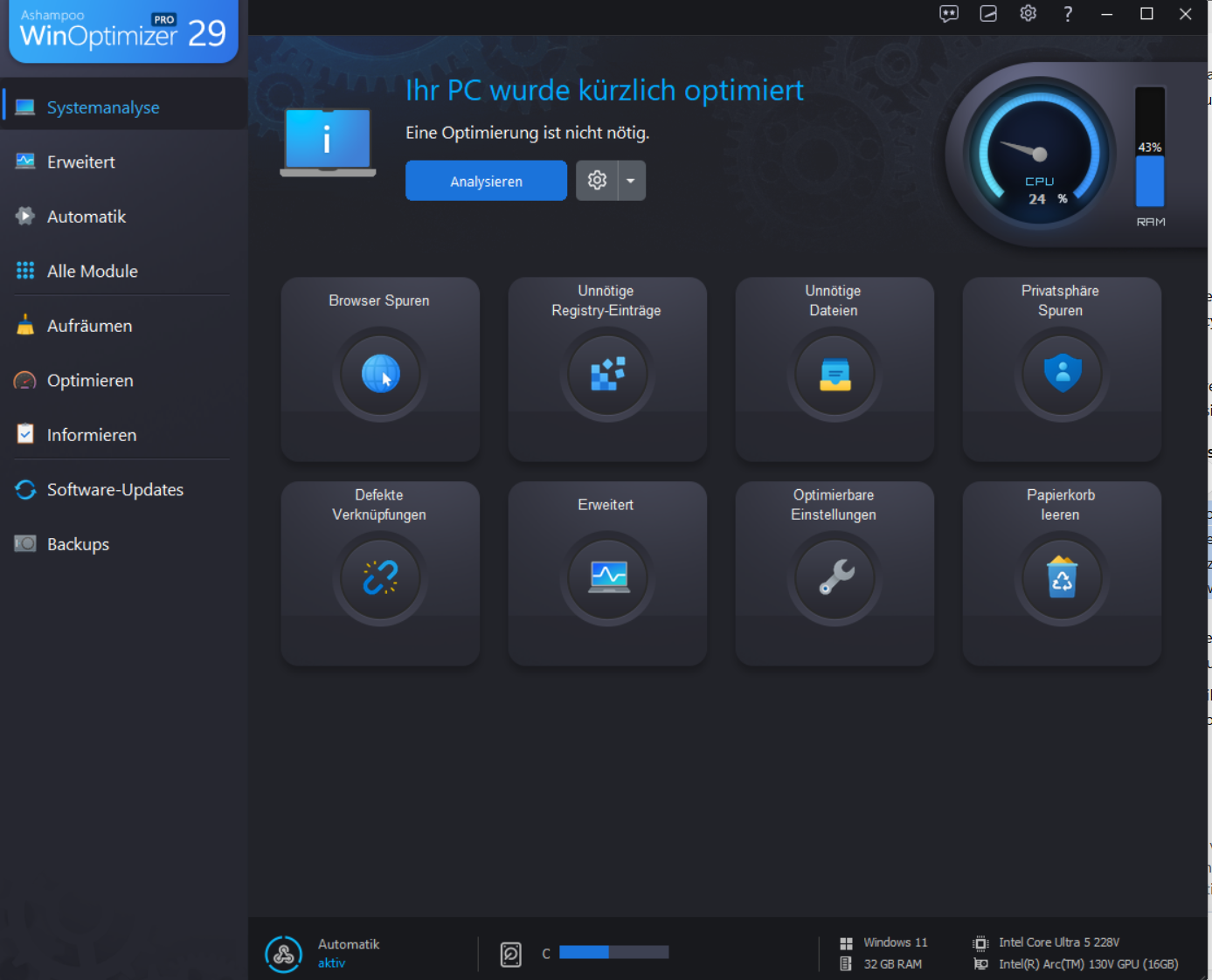
The installation went smoothly. The user interface is clearly laid out and provides quick access to system analysis, cleanup, optimization, software updates, and backups.
The advantage: Users don’t have to open a separate Windows menu for every maintenance task. Many functions can be managed centrally. This can be particularly helpful for beginners who want to maintain their PC regularly without having to delve deeply into individual system settings.
Ashampoo WinOptimizer 29 PRO Review: System Cleanup and Optimization
A key feature is the cleanup of unnecessary data. This frees up disk space occupied, for example, by temporary files. Additionally, the program offers options to clean up the Windows Registry and create backups.
In my test, the cleanup process was straightforward. However, I didn’t notice a significant improvement in Windows speed afterward. Freeing up storage space is therefore the more tangible benefit, while any potential performance boost depends on the specific system and its condition.
If you’d like to learn about other Windows tools, check out my review of Engelmann AntiSpy 2, where I share my experiences with a privacy protection program for Windows 11.
Who Should Consider Ashampoo WinOptimizer 29 PRO?
Ashampoo WinOptimizer 29 PRO is particularly well-suited for users who want to access various Windows maintenance tools in one place. These include cleaning up unnecessary files, additional system tools, and checking for available software updates.
The advantage lies in its intuitive interface and the consolidation of multiple functions in one place. However, not every Windows PC needs an additional optimization program, since Windows already comes with its own tools for disk management and system maintenance.
Anyone primarily expecting a noticeable speed boost from their computer should keep their expectations realistic: In my test, I didn’t notice any significant performance improvement after the cleanup.
Software Updater: Keeping Programs Up to Date
The built-in software updater is designed to help find available program updates. In my test, updates were found and successfully installed.
Up-to-date software can be important because updates can, among other things, fix bugs and close security vulnerabilities. However, I did not systematically test how thoroughly the updater detects installed applications. Therefore, it does not automatically replace the need to manually check all installed programs.
What Should You Keep in Mind When Optimizing Windows?
An optimization program can simplify regular maintenance. Nevertheless, you shouldn’t expect every cleanup to automatically result in a faster computer. If a PC is slow to respond, this could also be due to many programs running simultaneously, outdated drivers, insufficient RAM, or other technical issues.
That’s why it makes sense to view optimization software as a supplementary tool. Before making major changes, you should also check which functions are being performed and whether important data has been backed up. In my test, I was able to start the cleanup process easily. However, I didn’t notice any noticeable speed increase in the system afterward.
Conclusion: Who will benefit from Ashampoo WinOptimizer 29 PRO?
Ashampoo WinOptimizer 29 PRO bundles numerous Windows maintenance features into a clear and organized interface. Its main practical benefit is that cleanup tasks and other maintenance functions can be managed centrally. The built-in software updater adds a convenient way to find available updates for installed applications.
In my hands-on test, the installation went smoothly. The cleanup was easy to perform, and any software updates found were successfully installed. However, I didn’t notice any noticeable speed boost in my system after the cleanup.
Anyone looking for a versatile tool for regular Windows maintenance can benefit from the centralized interface. On the other hand, those expecting nothing but a significantly faster PC should keep their expectations realistic.
My Ashampoo WinOptimizer 29 PRO review shows that the software can be particularly useful thanks to its centralized interface and the combination of various maintenance features. However, I did not notice a significant performance boost during my test.Overall, Ashampoo WinOptimizer 29 PRO is suitable for users who want to centrally manage various Windows maintenance tools. In my review, I was particularly impressed by the straightforward user interface and the successful installation of detected software updates. However, I did not notice a noticeable performance boost on my system.
My rating: 8 out of 10 points
Transparency: Ashampoo provided me with the software free of charge for this review. The manufacturer had no influence on my rating.
[…] Ashampoo WinOptimizer 29 PRO Review: My Experience […]