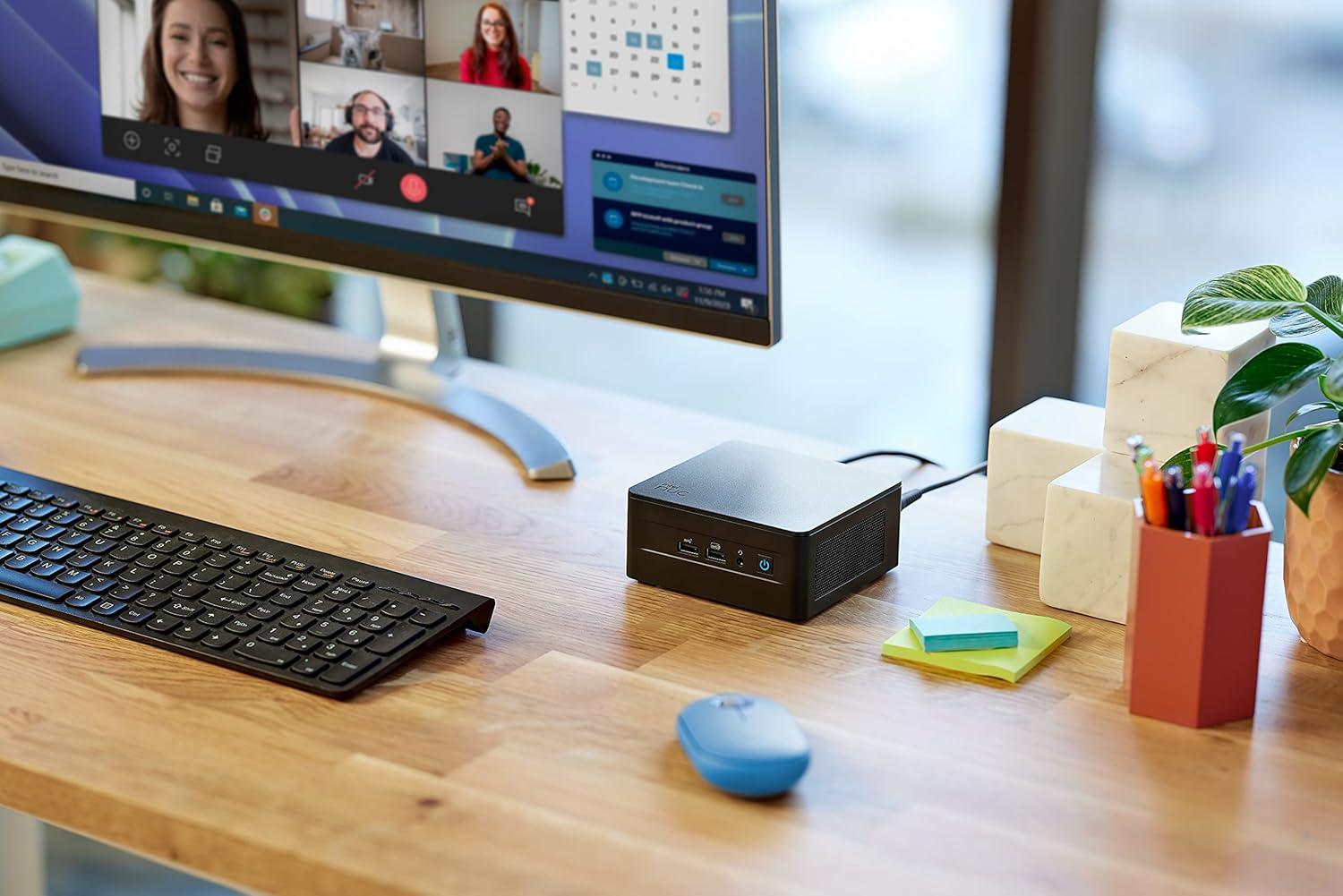
Anyone looking to buy a new computer in 2026 faces an important question: Should it be a compact mini-PC for the desk or a traditional laptop? Both devices can be powerful, space-saving, and well-suited for everyday use. Nevertheless, they differ in a few key ways.
While a laptop combines a screen, keyboard, battery, and computer into a single device, a mini-PC focuses on the actual processing unit. The monitor and input devices are connected separately. This can be worthwhile for a fixed workstation, but it also means additional upfront costs.
Whether a mini PC or a laptop is a better choice therefore doesn’t depend solely on performance. Mobility, power consumption, upgradeability, and your available budget also play a role.
In this guide, we’ll compare both devices and show you what to look for when making a purchase.
1. What is a mini PC, and what sets a laptop apart?


6
The Mini PC: Compact Technology for Your Desk
A mini PC is a particularly small desktop computer. Depending on the model, the case is barely larger than a paperback book and can sometimes even be mounted behind a monitor.
Despite their small size, modern mini PCs can offer powerful processors, fast SSD storage, and enough RAM for demanding everyday tasks.
Typical uses include:
- Office work and working from home
- Internet, streaming, and multimedia
- Programming and image editing
- Learning, college studies, and school projects
- Small servers and local AI applications
The biggest drawback: A mini-PC is not a fully self-contained workstation. To use it, you typically need a monitor, a keyboard, a mouse, and a power outlet.
The Laptop: A Complete Computer You Can Take With You
A laptop, also known as a notebook, combines all the essential components into a single device. The display, keyboard, touchpad, and battery are already built in.
This makes it ideal for people who work or study in different locations. Whether in the office, at school, at the university, or on the go—you can easily take the computer with you.
A laptop can also be expanded into a stationary workstation with an external monitor and a docking station.
When choosing a device, Microsoft particularly emphasizes the importance of mobility, battery life, space requirements, and personal use.
Microsoft Windows
2. Mini PC vs. Laptop: The Key Differences
The following table shows the features that make each device category stand out.
| Feature | Mini PC | Laptop |
|---|---|---|
| Portability | For stationary use | Suitable for on-the-go use |
| Screen | Requires a separate display | Built-in |
| Keyboard and mouse | Requires separate purchase | Built-in |
| Rechargeable battery | Usually none | Built-in |
| Space requirements | Very small at a desk | Minimal, even when used on the go |
| Purchasing | Peripherals are required | All-in-one device |
| Upgradability | Depends on the model | Depends on the model |
| Power supply | Power adapter required | AC adapter or battery |
| Ergonomics | Freely selectable monitor | Limited screen size |
| Application | Fixed workstation | Flexible workstation |
The key point here is: Not every mini PC is more powerful than a laptop. Actual performance depends, among other things, on the processor, cooling system, RAM, and specific configuration.
3. Performance: Which computer is faster?

When it comes to performance, it mainly depends on the tasks you want to perform.
For typical applications like Office, web browsers, video conferencing, and streaming, many current mini-PCs and laptops are more than sufficient. Programming, complex spreadsheets, and image editing are also possible with the right hardware.
Processor and Cooling
Mini PCs often use processors that are also found in laptops. Therefore, it’s not possible to say across the board that a mini PC is faster.
Depending on the design, a desktop computer may offer more room for cooling. This can be an advantage during prolonged periods of heavy use. However, very small cases can also have thermal limitations.
With laptops, on the other hand, there are significant differences between energy-efficient models for everyday use and high-performance devices for creative applications or gaming.
My tip: Compare specific processors and independent performance tests rather than just the form factor. For demanding tasks, also pay attention to performance under sustained load.
How much RAM and SSD storage makes sense?
For a new computer in 2026, I would use the following specifications as a guide:
- 16 GB RAM: For Office, the internet, streaming, and many everyday tasks.
- 32 GB of RAM: Recommended for extensive multitasking, programming, virtual machines, and larger creative projects.
- 512 GB SSD: A good starting point for the operating system, programs, and documents.
- 1 TB SSD: Recommended if you plan to store a lot of videos, photos, games, or local AI models.
These are general guidelines and not minimum requirements for every application. Also, check whether the RAM can be upgraded later.
4. Price and Total Cost: Is a Mini PC More Affordable?
A mini PC can offer good value for the price, especially if you already have a suitable monitor, keyboard, and mouse.
On the other hand, if you need to set up a completely new workstation, you should consider the total cost.
Example: Two Possible Purchases

Mini-PC workstation
Mini PC + monitor + keyboard + mouse + webcam and speakers, if needed.
Especially appealing if you already own the accessories.

Laptop workstation
Laptop with a built-in screen, keyboard, touchpad, and battery.
A complete computer with no additional devices required.
A laptop may seem more expensive at first if you only consider the price of the computer itself. However, many components are already included. A mini PC, on the other hand, can be a good deal if you can continue using your existing equipment.
For a fair comparison, you should compare devices with similar performance, comparable storage, and similar features.
Also be aware of so-called barebone systems: With some mini PCs, you have to buy the RAM and SSD separately. This can make what seems like a bargain end up being significantly more expensive.
5. Power Consumption: Which Device Is More Energy-Efficient?
Power consumption depends heavily on the hardware and actual usage. Neither mini PCs nor laptops are inherently more energy-efficient.
A laptop is designed for mobile use and has limited battery life. Many models therefore rely on energy-efficient components.
A mini PC can also be very energy-efficient. This is especially true for devices designed for office tasks or continuous operation.
However, there’s one important point to keep in mind: With a mini PC, you have to factor in the external monitor.
Here’s how to compare power consumption correctly
Compare the power consumption of the entire workstation:
- Mini PC including monitor and any additional accessories
- Laptop alone or laptop with an external monitor connected
An example of how to calculate annual electricity costs:
A device with an average power consumption of 30 watts that runs for eight hours a day for 250 days consumes 60 kWh per year.
Assuming an electricity price of 30 cents per kWh, that would amount to 18 euros per year.
This is an example calculation and not a measured value for a specific device. For a realistic estimate, you should measure the actual power consumption in everyday use.
6. Portability: The laptop has clear practical advantages here

If you regularly transport your computer, a laptop is the obvious choice.
You can use it at school, in the office, at the library, or while traveling. The built-in battery also allows you to use it without a power outlet.
While a mini PC is small and portable, it requires a monitor, power, and input devices for normal operation. This isn’t very convenient if you’re frequently changing locations.
Another advantage of a laptop is its ability to bridge short power outages. A mini PC will typically shut down without an additional power source. For important stationary workstations, an uninterruptible power supply (UPS) can help.
For schoolchildren, college students, and commuters, a laptop is therefore often more practical. On the other hand, those who work exclusively at the same desk may not need this level of mobility.
7. Upgradeability and Lifespan
An important factor when buying a computer is how long the device can be used and which components can be replaced later.
Mini PCs
On many mini PCs, the SSD and, in some cases, the RAM can be replaced or upgraded. This can extend the device’s lifespan and make future repairs easier.
However, there are also compact systems with soldered-in RAM or other permanently integrated components. Upgradeability is therefore not a guaranteed feature of every mini PC.
Laptops
There are also significant differences among laptops. Some business notebooks offer replaceable RAM and SSDs. In particularly thin models, however, the RAM is often soldered in place.
The battery is an additional factor subject to wear and tear. Depending on the model, it may be easier or more difficult to replace.
It’s therefore worth checking the technical specifications and the maintenance manual before making a purchase. A device with a replaceable SSD and easily accessible components can offer long-term benefits.
8. Mini-PC or Laptop for Gaming, Image Editing, and AI?
For demanding tasks, simply distinguishing between a mini-PC and a laptop isn’t enough.
Gaming
For casual gaming and less demanding titles, mini PCs with integrated graphics may be sufficient. For the latest, graphically intensive games, you should check the actual graphics performance.
Gaming laptops with dedicated graphics cards are portable, but they can get hot and noisy under heavy load. A mini-PC with integrated graphics isn’t automatically a viable alternative to a high-performance gaming system.
Image and Video Editing
For image editing, video editing, and 3D applications, the processor, graphics card, RAM, and cooling system are key factors.
A high-performance laptop offers portability, while a desktop mini-PC can provide sufficient performance for certain workflows. For particularly demanding projects, a traditional desktop PC with a powerful, upgradeable graphics card may also be worth considering.
Local AI
If you want to run AI models locally, you should also pay attention to RAM, graphics memory, the processor, and, if necessary, an NPU.
An NPU can accelerate certain AI tasks, but it does not automatically replace a powerful GPU. The requirements of the specific model are also crucial.
For simple local AI applications, both types of hardware may be suitable. For larger models, you should carefully check the required resources before purchasing.
9. Which computer is right for whom?
A mini PC is right for you if…
- you mainly work at a desk.
- you already own a monitor and accessories.
- you want a tidy, space-saving workspace.
- you value flexible peripherals and the option to upgrade.
A laptop is right for you if…
- you’re frequently on the go.
- you use the computer for school, college, or work.
- you need a built-in screen and battery.
- you want to get started right away without an additional monitor.
10. Conclusion: Mini PC or Laptop—Which Is the Better Choice in 2026?
Whether a mini PC or a laptop is the better purchase depends primarily on where and how you work.
A mini PC is an interesting solution for a fixed workspace. It takes up little space and can be particularly cost-effective if you already have a monitor and accessories. Depending on the model, individual components can be replaced or upgraded.
A laptop, on the other hand, offers more flexibility. The screen, keyboard, and battery are built-in, and the computer can easily be moved between different work locations. These advantages can justify the extra cost compared to a similarly equipped mini-PC.
Before you make a decision, you should therefore consider more than just processor performance and purchase price. Also take into account accessories, power consumption, portability, and future maintenance options.
The most important question is: Will your computer stay mainly on your desk, or do you need it to accompany you in your daily life? Once you answer that for yourself, the decision between a mini PC and a laptop will be much easier.
Leave a Reply