Published on October 14, 2026 · Updated on October 22, 2026
Disclosure
The Nitrokey 3A NFC was provided to me free of charge for a product review. I did not receive any additional payment for this review. My assessment is based on my own experiences. The manufacturer has no influence on the content or the outcome of this article.
What is the Nitrokey 3A NFC?
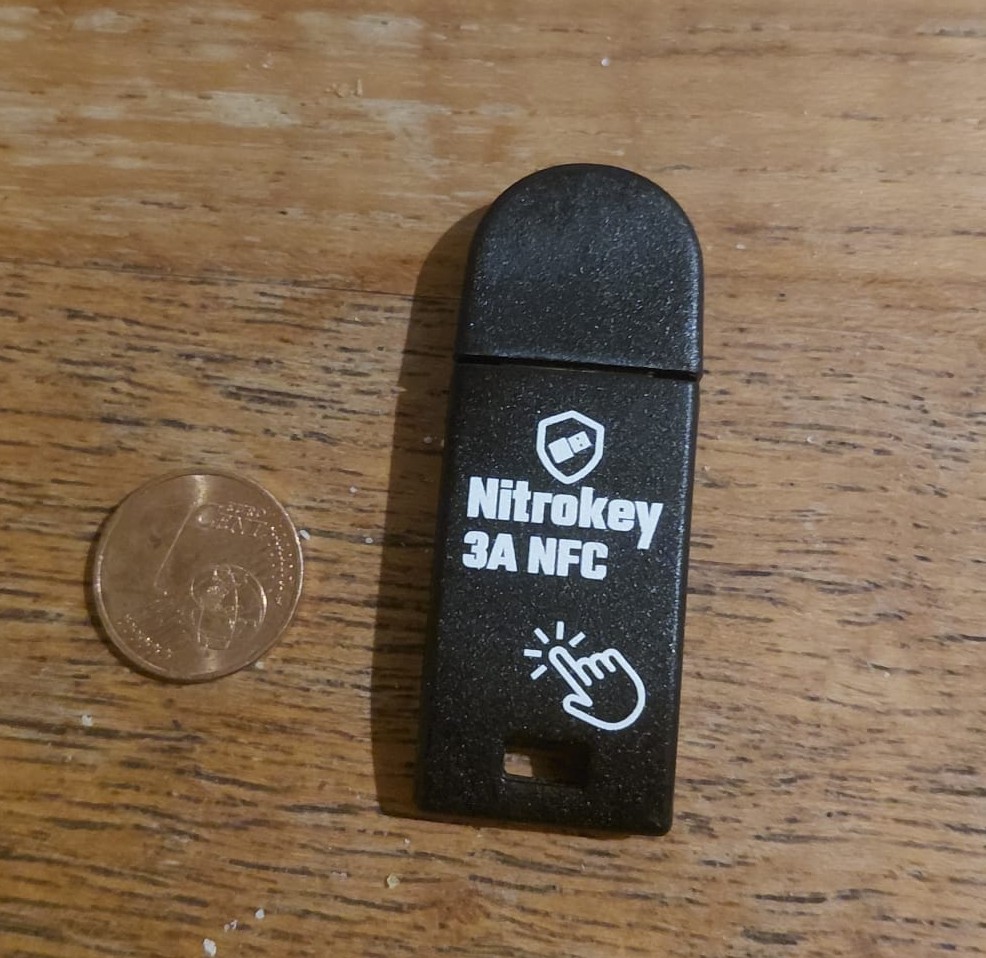
The Nitrokey 3A NFC is a physical security key that provides additional security for compatible online accounts. It supports FIDO2 and can be used via USB-A on a computer or via NFC with compatible smartphones.
Security keys like this can help better protect accounts against phishing and the misuse of stolen passwords. This requires that the respective online service supports the corresponding login method.
I tested the Nitrokey in everyday use, focusing primarily on its use with a Windows PC and its NFC connection with Android smartphones.
My Experience with the Nitrokey
FIDO2 works on Windows
On a Windows PC, I was able to successfully use the Nitrokey via USB for FIDO2 registration and subsequent login. The device verification also completed without errors.
This means the security key works as intended in the PC environment I tested. Setup and use via USB have been the highlights of my hands-on test so far.
NFC on a smartphone: Mixed results
When using it with my Samsung Galaxy A36, I initially ran into difficulties. Despite having NFC enabled and up-to-date Google Play Services, I was unable to successfully complete the FIDO2 login via NFC.
I tried various browsers and WebAuthn test pages. The process got stuck at the “Connect key” prompt.
However, during a follow-up hands-on test, I found that using the Nitrokey 3A NFC with an Android smartphone works in principle. This makes the outcome more positive than my initial difficulties would suggest.
I haven’t yet been able to definitively determine why detection doesn’t work reliably with my Galaxy A36. However, the successful test with another Android smartphone shows that the NFC function is generally usable.
The results so far indicate that detection can vary depending on the smartphone. Anyone who wants to use the Nitrokey 3A NFC on the go should check compatibility with their own device.
Who might be interested in the Nitrokey?
The Nitrokey 3A NFC is particularly appealing to users who want to secure compatible online accounts with a physical security key. Thanks to the combination of USB-A and NFC, it’s designed for use with computers and compatible smartphones.
If you plan to use the key primarily on the go, you should check compatibility with your own smartphone. While FIDO2 authentication via USB worked successfully on my Windows PC, NFC functionality with Android varied depending on the device tested.
Conclusion: USB works successfully; NFC generally functional
In my testing so far, the Nitrokey 3A NFC has impressed me with its reliable FIDO2 authentication via USB on a Windows PC. I initially encountered problems when using NFC with my Samsung Galaxy A36. However, a subsequent practical test with another Android smartphone was successful.
It can therefore be concluded that NFC functionality works in principle. However, it remains unclear why detection was not consistently possible with my Galaxy A36.
Anyone looking for a physical security key for computers and smartphones should consider not only the supported login methods but also compatibility with their own device. Further testing with different smartphones could help assess Android compatibility more accurately.
Further information: Official Nitrokey documentation
[…] Nitrokey 3A NFC Review – Experiences with FIDO2 […]