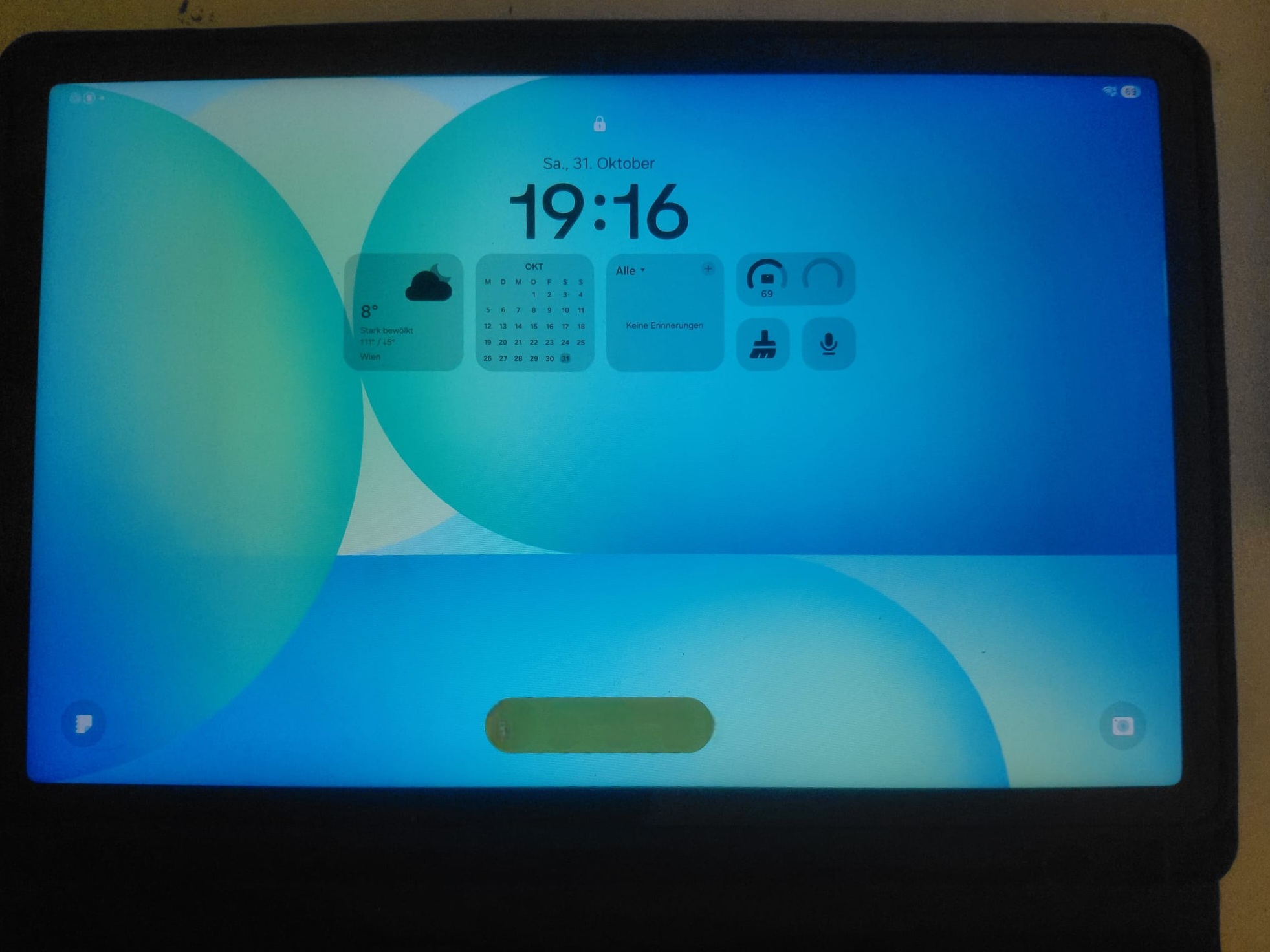
In my Samsung Galaxy Tab S10 FE review, I share my personal experiences after three days of use. I take a closer look at the display, usability, the S Pen, and battery life.
My Samsung Galaxy Tab S10 FE review shows just how well the tablet is suited for school, studying, and productive work.
I also find the integration with my Lenovo ThinkPad E16 particularly interesting. Among other things, I’m testing the tablet as a second screen with Spacedesk and for drawing with the S Pen.
In this hands-on review, I’ll highlight the Galaxy Tab S10 FE’s strengths and areas where there’s still room for improvement.
Technical Specifications of the Samsung Galaxy Tab S10 FE
| Feature | Specifications |
|---|---|
| Model | Samsung Galaxy Tab S10 FE (SM-X520) |
| Display | 10.9-inch LCD |
| Resolution | 2304 × 1440 pixels |
| Refresh rate | 90 Hz |
| Processor | Samsung Exynos 1580 |
| RAM | 8 GB RAM |
| Internal storage | 128 GB |
| Operating System | Android 16 |
| Stylus | S Pen included |
| Connectivity | Wi-Fi (no 4G/5G) |
| Wi-Fi standard | Wi-Fi 6 |
| Battery | 8,000 mAh |
| Protection rating | IP68 |
The technical specifications refer to the Wi-Fi version I used, which has 8 GB of RAM and 128 GB of internal storage.
Build Quality and Design
The Samsung Galaxy Tab S10 FE makes a good impression in terms of build quality. The tablet feels solid and is well-built.
For everyday use, I also use a Book Cover that I purchased separately. It allows me to prop the tablet up comfortably, which is handy for both typing and watching videos. The case also protects the tablet during transport. So far, I’ve been very satisfied with the Book Cover.
Overall, I like the build quality. The Galaxy Tab S10 FE feels high-quality and is well-suited for daily use.
Samsung Galaxy Tab S10 FE Display Review
For me, the 10.9-inch display is one of the Samsung Galaxy Tab S10 FE’s strengths.
The image is sharp, the colors look pleasant, and the brightness has also impressed me so far. The display is smooth and makes reading, browsing, and watching videos a pleasure.
A good display is especially important for a tablet that I use for school, work, and entertainment. In this regard, the Galaxy Tab S10 FE really impresses me.
In my Samsung Galaxy Tab S10 FE review, the display particularly impresses me with its sharp image quality and pleasant colors.

Samsung Galaxy Tab S10 FE Review: S Pen and Drawing
A major advantage of the Samsung Galaxy Tab S10 FE is the included S Pen.
I really like the stylus, especially for drawing. It works reliably and significantly expands the tablet’s range of uses.
The S Pen is also useful for handwritten notes. So far, the stylus has particularly impressed me when it comes to drawing. It works reliably and feels comfortable in the hand.
When it comes to drawing, however, the S Pen impresses me far more than it does with traditional text input.

Performance and Usability
In everyday use, the Samsung Galaxy Tab S10 FE has run very smoothly so far. Apps launch quickly, and the interface responds immediately to input.
I also really like Samsung One UI. The user interface is clearly laid out and intuitive to use.
It didn’t take me long to get used to the interface, and I found my way around quickly. This is a major advantage, especially for everyday use.
Overall, I’m very satisfied with the tablet’s performance and usability.
I’ve also been very satisfied with Android 16 so far. The system runs stably and smoothly on my Galaxy Tab S10 FE. So far, I haven’t noticed any major issues or crashes while using it.
Using It for School and Studying with OneNote
For school and studying, I use the Samsung Galaxy Tab S10 FE with Microsoft OneNote, among other apps.
Writing with the S Pen in OneNote is comfortable and reliable. Handwritten notes can be captured directly on the screen. Drawings and small sketches are also possible without any issues.
I’m less impressed with the automatic recognition of my handwriting. The conversion to regular text isn’t always reliable and could be much more user-friendly.
Multitasking and Running Multiple Apps Simultaneously
Multitasking also works well on the Galaxy Tab S10 FE. I can use multiple apps at the same time and, for example, have OneNote and the browser open side by side. This is especially handy when studying, because I can look up information and take notes at the same time.
Working with the Lenovo ThinkPad E16
An important part of my hands-on test is using it alongside my Lenovo ThinkPad E16.
The Samsung Galaxy Tab S10 FE complements my laptop very well. I can use the tablet flexibly alongside the ThinkPad, thereby expanding my workspace.
This combination is especially useful for school, college, and productive work. The tablet offers additional possibilities without requiring me to give up my Windows laptop.
So far, this setup has worked very well for me.
Samsung Galaxy Tab S10 FE as a Second Screen with Spacedesk
One particularly handy feature is using the tablet as an additional screen.
With spacedesk, I can connect the Galaxy Tab S10 FE to my Windows laptop and use it as a second screen.
In my hands-on testing, this works reliably. This allows me to display additional windows and applications on the tablet, giving me more space to work.
For me, this is a useful addition to the ThinkPad E16 and a real bonus in everyday life.
Samsung Galaxy Tab S10 FE: Battery Life in Testing
I was particularly impressed by the battery life of the Samsung Galaxy Tab S10 FE.
Based on my usage so far, the battery lasts a very long time. I don’t have to constantly recharge the tablet, which allows me to use it flexibly in my daily life.
Especially when I’m on the go, studying, or working, a long battery life is a major advantage.
For me, the battery life is one of the Galaxy Tab S10 FE’s greatest strengths.
Storage and Speakers
The 128 GB of internal storage has been more than enough for my needs so far. I haven’t found myself needing any additional storage space yet.
The speakers also do the job. The sound quality is good and sufficient for videos, music, and general media consumption.
Overall, I have little to complain about in these two areas.
Pros and Cons
Pros
- Very good, sharp display
- Good build quality
- Smooth and fast operation
- S Pen for drawing included
- Very long battery life
- Works well with the Lenovo ThinkPad E16
- Reliable use as a second screen with Spacedesk
- 128 GB of storage is sufficient for my needs
Cons
- Handwriting recognition could be more reliable
- Converting handwriting to text is a bit cumbersome
Conclusion: A versatile tablet with long battery life
The Samsung Galaxy Tab S10 FE has made a very good impression in my hands-on testing so far.
I’m particularly impressed by the sharp display, the smooth performance, and the long battery life. The S Pen is also a useful addition, especially for drawing and taking handwritten notes.
Another plus is its compatibility with my Lenovo ThinkPad E16. By using it as a second screen with Spacedesk, the tablet can also be used productively. Microsoft OneNote and the multitasking features also make it a practical companion for school and studying.
I see room for improvement in the automatic handwriting recognition and the conversion of handwritten input into regular text.
Since I’ve only been using the tablet for three days, this is just a first-hand impression and not yet a long-term test.
My buying recommendation: From what I’ve seen so far, the Samsung Galaxy Tab S10 FE is a compelling tablet for everyday use, school, college, and creative work. Anyone looking for a versatile device with an S Pen, good performance, and long battery life should take a closer look at it.
Leave a Reply